Paxton Access Control · Door Entry · Gates · London
A key is a listyou cannot edit.
Access control is that list, made editable. Codes, fobs, phones and fingerprints on the doors that matter, video entry at the gate, and one record of who came in and when. We install Paxton access control — Net2 and Entry — across London, and take over the systems nobody else will touch.
- 07:12FobHousekeeperSide doorGranted
- 08:40CodeDog walkerRear gateGranted
- 11:05IntercomCourierFront gateOpened from app
- 15:22FobOld contractorFront doorDenied — revoked
- 18:30PrintYouFront doorGranted · hall to 40%
Every entry stamped with who, which door and how. Add a person in seconds — remove them just as fast.
One system, six ways in
What access control actually is
A list of people, a list of doors, and the rules in between.
Who Gets In, When
Five people arrive at your door.None of them need a key.
A designed system is not about locking people out. It is about giving each person exactly the access they need, for exactly as long as they need it, and being able to change your mind in five seconds.
- Credential
- Fingerprint, phone or fob
- Doors
- Every door and gate
- When
- Any time, no schedule
- Ends
- Never
- Logged
- Yes, per person
The people who actually live there
Everyone in the house gets their own way in — a fob in a coat pocket, a credential on a phone, or a fingerprint on the front door. No shared master code, nothing to remember, and no key under the pot by the back step.
- Each person identified individually, so the log says who came in rather than that somebody did
- A lost fob is deleted from the system in seconds — it is not a locksmith and six new keys
- Children arriving home shows on your phone without anybody having to text you
- With Loxone in the house, unlocking after dark can bring the hall up to 40% and nothing else
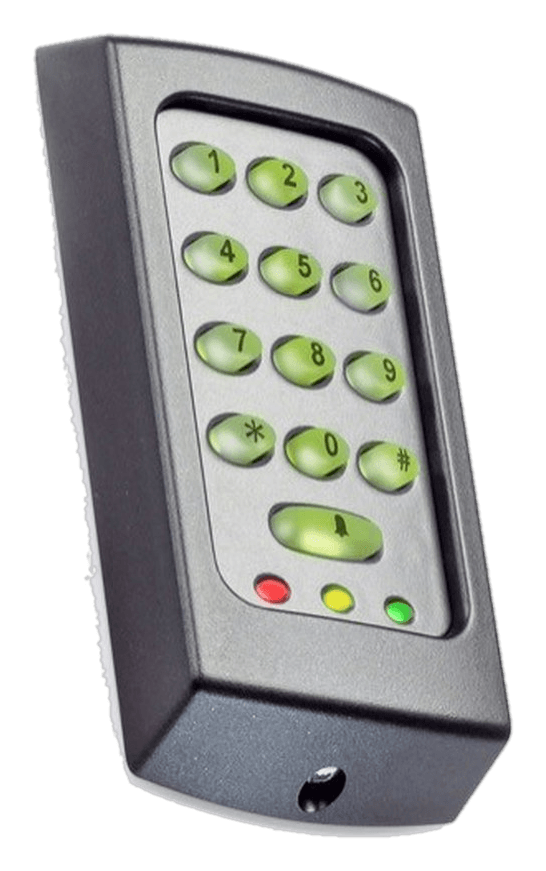
Paxton KP50
Card + PIN · IPX7 · Net2 or standalone
The Platform
Paxton Net2, becausesomebody has to run it in five years.
Net2 is the platform we standardise on: one database holding every door, every user and every schedule, British-made, and installed and understood by engineers all over the country. That last part matters more than any feature list — if we ever fall out, you can hire somebody else to administer your building tomorrow.
- One place to add a person, take one away, or change what a door does at 6pm
- Readers from a keypad on a side door to card-plus-PIN on a plant room, on one system
- Runs on your own machine or server — the doors keep working with or without the internet
- Grows from two doors to a few hundred without changing platform or starting again
Ways In
Six credentials,mixed across one system.
People arrive differently, so they should not all be issued the same thing. Most properties end up with fobs for the household, codes for trades, and a fingerprint or a phone on the main entrance.
Fobs and cards
Anybody who arrives every day
Presented to a reader at the door or on a gate post. Cheap to issue, instant to cancel, and the thing most households end up using for the school run and the dog walker.
PIN codes
Trades, guests, occasional visitors
Nothing to hand over and nothing to get back. Issue a code for a fortnight, give it a time window, and let it expire on its own.
Phone credentials
Family and staff who never carry a fob
The credential lives on a phone that is already in their hand. Useful for anyone who loses fobs, and for people you need to add remotely.
Fingerprint
Front doors and secure rooms
Nothing to lose, lend or copy. Sub-second recognition, with the template encrypted and held on the device itself rather than in a cloud account.
Video entry
Visitors you have not met
A call panel at the gate or communal door, answered on a monitor or in the app, with remote release and a snapshot log of everyone who called.
Mechanical code locks
Low-traffic and awkward doors
No power, no cable, no app. Right for a bin store, a garden gate or a listed door where getting a cable to the frame would do more harm than good.
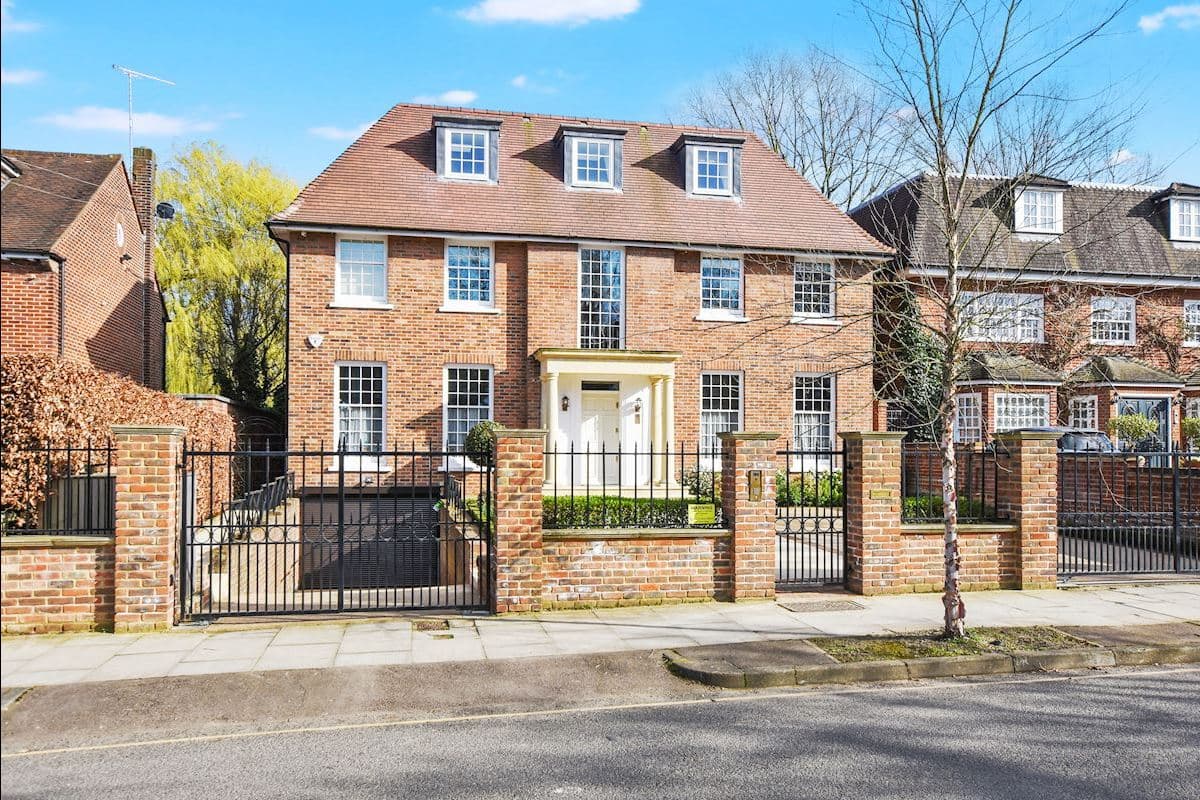
Gates, Barriers & Communal Doors
The entrance nobody thinks aboutuntil it stops working.
A driveway gate, a rising arm barrier and a communal front door all belong on the same system as the internal doors, so one fob works everywhere it should and nowhere it should not. Where a motor is already installed we interface to its controller rather than replacing something that works.
- Swing and sliding gate motors, rising arm barriers and communal entrance doors
- A fob on the pedestrian gate, a keypad for the bin store, an intercom panel for visitors
- Vehicle loops, key switches and free-exit buttons so leaving never needs a credential
- Safe release configured for fire escape and for emergency services access
The Part That Holds The Door
The reader gets the attention.The lock does the work.
Most access control that disappoints people is a decent reader on the wrong locking hardware. The choice is made per door, from the weight of the door, how it is used, and whether anybody has to escape through it.
Electric strikes, for most timber doors
The strike replaces the keep in the frame rather than the lock in the door, so the door itself is untouched and the original ironmongery stays where it is. The most common answer in a period property.
Magnetic locks, for communal entrances
Silent, strong and forgiving of a door that has moved with the seasons. Fitted with a release button and an emergency break-glass on the escape route, because a maglock is only ever as good as the way it lets people out.
Motorised multi-point locks, for main doors
Where a heavy front or bi-fold door needs to be genuinely locked rather than held, a motorised lock throws the same hooks and bolts the handle would, on a credential or from the app.
Smart cylinders, where cable cannot go
A battery cylinder replaces the existing barrel and brings a door into the system with no wiring at all. Not the first choice for a busy front door, and exactly the right one for an outbuilding.
What happens in a power cut
Decided per door, deliberately, at design stage. Escape routes are fail-safe and unlock when power is lost, because a locked fire exit is far more dangerous than an open door. Doors protecting valuables are usually fail-secure and stay locked. Either way the control gear sits on a battery that rides out a normal London power cut, and the thumbturn on the inside always works.
Period doors, left alone
In a Victorian terrace or a mansion flat the aim is that nothing looks added. An electric strike goes into the frame rather than the door, cable is taken through the hinge side or through existing routes, and the original handle, escutcheon and letterplate stay exactly where the joiner put them.
Integration
A door opening should tellthe rest of the building.
This is the difference between us and a locksmith fitting a keypad. We install the cameras, the alarm and the automation as well, so the door event is useful to all three instead of ending at the frame.
Cameras that were looking
Every entry and every refusal can trigger the recorder, so the footage of that moment is bookmarked rather than buried in fourteen days of continuous recording. A denied fob at 3am becomes a clip you can actually find.
Hikvision CCTVAn alarm that keeps up
Authorised entry disarms the areas that person is allowed into, and the system arms again when the last of them leaves. Forgotten arming and accidental activations are the two things that make people stop using an alarm at all.
Ajax intruder alarmsA house that reacts
Unlocking the front door after dark can bring the hall up gently, heat the room you are walking into, and leave the rest of the house alone. Where the picture has to appear in the Loxone App we fit a DoorBird panel, which shows live view and snapshots inside it.
Loxone automationOffices, Blocks & HMOs
Two doors or two hundred,on one system.
Managed buildings need more than a latch and a box of fobs. The requirement is usually the same whatever the size: know who has access, prove who came in, and be able to change it from one screen without walking the building.
- Centralised user management, so one person leaving is one change rather than a walk round the building
- A complete audit trail of who entered which door and when, exportable when a dispute or an insurer needs it
- Anti-passback and interlock rules for server rooms, plant rooms and anywhere two people should not share one card
- Fire alarm interface, so every controlled door on an escape route releases the moment the panel activates
- Door groups and schedules that follow how the building really runs — trading hours, cleaners, out of hours, holidays
- Communal front doors, bin stores and bike stores for HMOs and managed blocks, on the same system as the flats
Takeovers
Inherited a systemnobody can administer?
The installer has moved on, the software is on a laptop that left with them, and the fobs of former tenants are still live. It is one of the most common calls we get, and it is almost always cheaper to take the system over than to replace it.
We find out what is actually fitted
Panels opened, readers identified, doors mapped. Most buildings we take on turn out to have two generations of hardware and no drawing of either.
You get the database and the password
We recover the existing system where we can and rebuild it where we cannot, then hand you documented administrator access in your own name — not ours.
The dead credentials come off
Former tenants, ex-staff and unlabelled fobs are the reason to do this at all. Everything live gets a name against it or gets switched off.
It is supported from then on
Adding users, replacing a failed strike, changing schedules when the cleaners change. Small jobs done quickly, which is usually why the last installer was let go.
Proof
Doors, gates and entry panelsacross London.
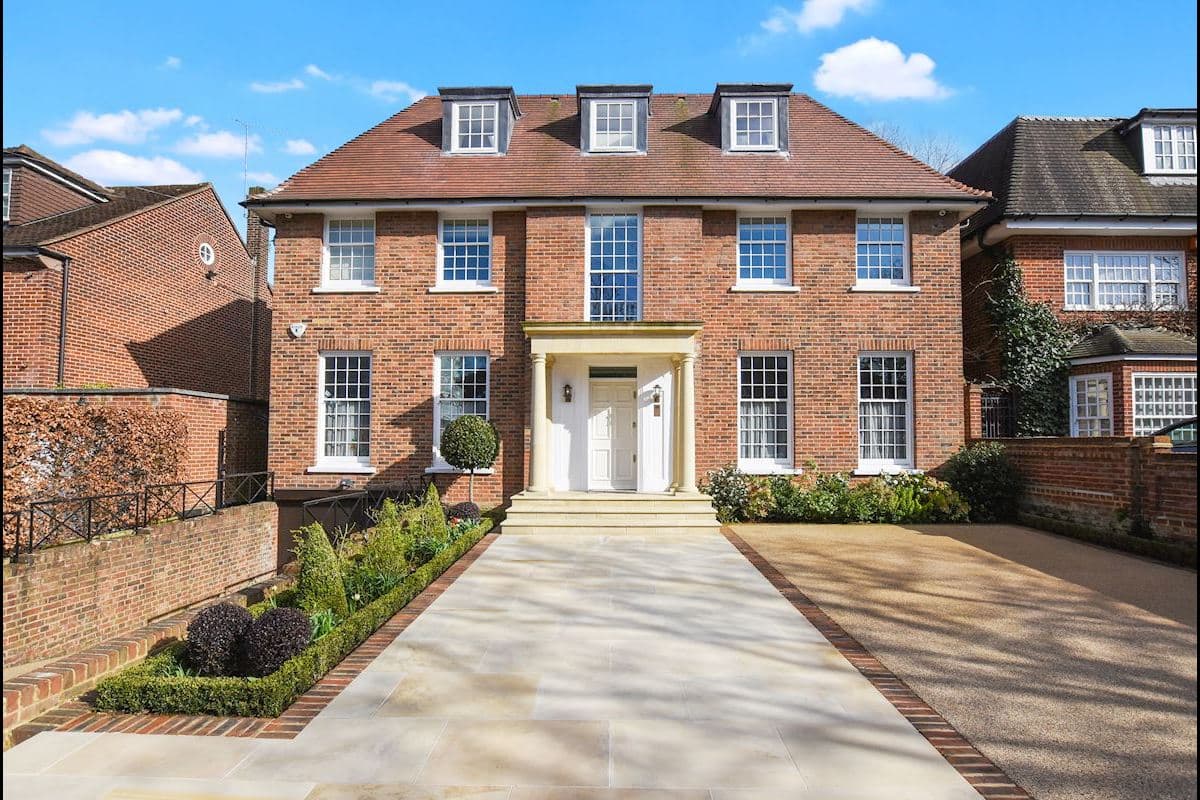
Private houses, warehouse conversions and managed buildings since 2014.
How It Works
From who needs to get in,to a system you run yourself.
Requirements Review
We understand who needs access, when, and what level of security each entry point requires — front door, side gate, garage, office, plant room.
System Design
We specify the right method for each door — keypad, biometric, intercom, fob, or combination — plus the locking hardware and integration plan.
Installation
Professional fitting of readers, strikes, maglocks, and intercoms. Integration with your CCTV, alarm, and automation configured and tested.
User Setup & Training
Every user configured, schedules set, apps installed on your devices. We walk you through managing access yourself before we leave.
Where We Work
Access control installersacross London.
We are based in Hatch End (HA5), which puts Harrow, Pinner, Northwood, Stanmore and Edgware within twenty minutes and usually means a same-week survey. Beyond the home patch we install and take over access control systems across the whole of Greater London — much of it in period property, where the readers and strikes have to disappear into original doors and joinery, and in managed blocks where the brief is a communal front door, a bin store and a fob that works on both.
Not on the list? It is not exhaustive — we quote anywhere inside the M25 and across the Home Counties, and the site survey is free wherever you are.
Questions
Doors and entry,answered honestly.
What is integrated access control?
Integrated access control means your door entry system works as part of your wider security rather than in isolation. In our installations, a door event triggers a Hikvision CCTV snapshot for visual verification, the Ajax alarm arms or disarms automatically based on who enters or leaves, and Loxone can run lighting scenes on entry. You manage everything from one app instead of juggling separate systems for the intercom, alarm, and cameras. It is our standard approach rather than an upgrade, because retrofitting the links afterwards costs more than designing them in.
Do you install Paxton access control?
Yes — Paxton is our standard platform for networked access control. We design and install Paxton Net2 for anything from a single office door to a managed building, and Paxton Entry where a block needs video door entry running on the same software. Just as often we take over Paxton access control somebody else installed: recover the database, remove the fobs of people who left years ago, hand you documented administrator access, and support it from there. Paxton hardware is made in Brighton, spares are available everywhere, and the platform is open enough that you are never locked to us — which is exactly why we recommend it.
Which parts of London do you cover for access control?
Our base is Hatch End in HA5, which puts Harrow, Pinner, Northwood, Moor Park, Stanmore and Edgware within twenty minutes and usually means a same-week survey. Beyond the home patch we work across Greater London, with a good deal of the integrated access control we have fitted going into Victorian terraces and mansion flats in Hampstead, West Hampstead and Kensington, where the hardware has to be discreet enough to leave original doors and joinery alone. The survey takes about an hour wherever you are.
Can you take over an access control system somebody else installed?
Yes, and it is a large part of what we do. The usual situation is a building with a Paxton or similar system where the installer has moved on, nobody has the software or the engineer password, and the fobs of former tenants or staff are still live. We survey what is actually fitted, recover or rebuild the database, hand you documented administrator access, then support it from there. If the existing hardware is sound we keep it — a takeover is normally a fraction of the cost of a replacement, and we will tell you honestly when a platform is too old or too proprietary to be worth keeping.
Can you control electric gates and barriers as well as doors?
Yes. Driveway gates, rising arm barriers and communal entrance doors run on the same access system as the internal doors, so one fob or one code works everywhere it should. Where a gate motor is already installed we interface to its controller rather than replacing a motor that works. Vehicles are handled with a fob reader on a post, a keypad, an intercom call to the house, or a ground loop for automatic free exit, and everything is configured to release safely in a fire or for emergency services.
What happens to the doors if the power fails?
It is decided per door, deliberately, at design stage. Escape routes are fail-safe: they unlock when power is lost, because a locked fire exit is far more dangerous than an open door. Doors protecting valuables are usually fail-secure, staying locked and needing a mechanical override. Either way the control equipment sits on a battery backup that rides out a normal London power cut, and the mechanical thumbturn or key override on the inside always works, so nobody is ever shut in.
Fobs, cards, PINs, phone or fingerprint — which should I choose?
Different people arriving in different ways need different credentials, and one system can carry all of them. Fobs suit anyone who arrives daily and keeps keys in a pocket. PINs suit occasional visitors and trades, because you can issue a code for a fortnight without handing over hardware. Phone credentials suit family and staff who always have a phone and will never carry a fob. Fingerprint suits front doors and secure rooms where you want no credential to lose or lend at all. In practice most properties end up with fobs for the household, codes for trades and deliveries, and a fingerprint or phone on the main entrance.
What's the difference between mechanical and electronic access control?
Mechanical access control uses physical hardware — push-button code locks, key-suited cylinder systems, and mechanical digital locks that need no power. Electronic access control uses powered readers (keypads, fobs, biometrics) with electric strikes or maglocks, giving you remote management, audit trails, and instant code revocation. Mechanical suits low-traffic doors and listed buildings where wiring is difficult; electronic is right for main entrances and anywhere you need control and accountability. We install both, and often combine them across one property.
Can I control access remotely from my phone?
Yes. All our electronic access control systems include app-based management. Add or remove users, change codes, set time-based schedules, and unlock doors from anywhere in the world. You can give a cleaner a code that only works on specific days and times, and revoke it instantly if needed.
Can you fit access control to existing doors in a London property?
Yes. We work with existing doors in most cases — electric strikes, maglocks, or smart cylinders can be fitted to standard residential and commercial doors without replacing the door itself. For period properties in Hampstead, Kensington, and Chelsea, we use discreet hardware that preserves the original character and joinery.
How much does access control installation cost in London?
It is driven by the doors rather than the readers. What moves the figure is how many doors you want controlled, what each one is made of and how it is used, whether cable can reach the frame or the door needs a battery cylinder, whether a gate motor or an intercom panel is involved, and whether the system has to be managed from software or can stand alone. A single keypad on a side door and a six-door building with video entry are different projects, so we survey first and itemise the quote door by door — you can see what each entry point costs and take any of them out. The survey is free anywhere in London.
Does access control integrate with CCTV and alarm systems?
Absolutely — this is where our approach stands out. We integrate access control with Hikvision CCTV so every door event triggers a camera snapshot for visual verification. Combined with Ajax alarms, the system automatically arms when the last person leaves and disarms when an authorised user enters. All managed through one app via Loxone.
Do you install commercial access control in London?
Yes — offices, retail units, HMOs, and managed residential buildings across London and the West London commercial corridor. Commercial systems include centralised user management, full audit trails with exportable compliance reports, anti-passback rules, and integration with fire alarm systems for emergency egress. We scale from two doors to multi-site estates.
Is biometric access control suitable for a residential property?
Yes, and it's increasingly popular in London's luxury residential market. Fingerprint readers are discreet, fast, and eliminate the risk of lost keys or forgotten codes. We install biometric access on front doors, garage entries, and internal secure rooms. The system stores encrypted biometric data locally — nothing is sent to the cloud.
Read Next
How the doors fitinto everything else.
Ajax, Hikvision and Loxone as one system
What actually happens when a door, a camera and an alarm are wired to talk to each other.
Read itComparisonAjax vs Ring vs Verisure
Where DIY kit runs out of road, and what that means for the doors and the alarm.
Read itValueWhat smart security does to property value
The data on what buyers and insurers pay attention to, and what they ignore.
Read itLet's walk the doors before anything is ordered.
Free survey across Hampstead, West Hampstead, Kensington, West Kensington and the wider Home Counties. You get a plan door by door — including the doors we think you should leave alone.