Ubiquiti UniFi Specialists
WiFi installationLondon never has to think about.
Professional WiFi installation, managed switching, and certified Cat6a data cabling for London homes and offices — designed from a real signal survey, built on Ubiquiti UniFi, and finished so tidily you'll want to show people the rack.
FreeNot sure what you need? Run the 60-second WiFi Health Check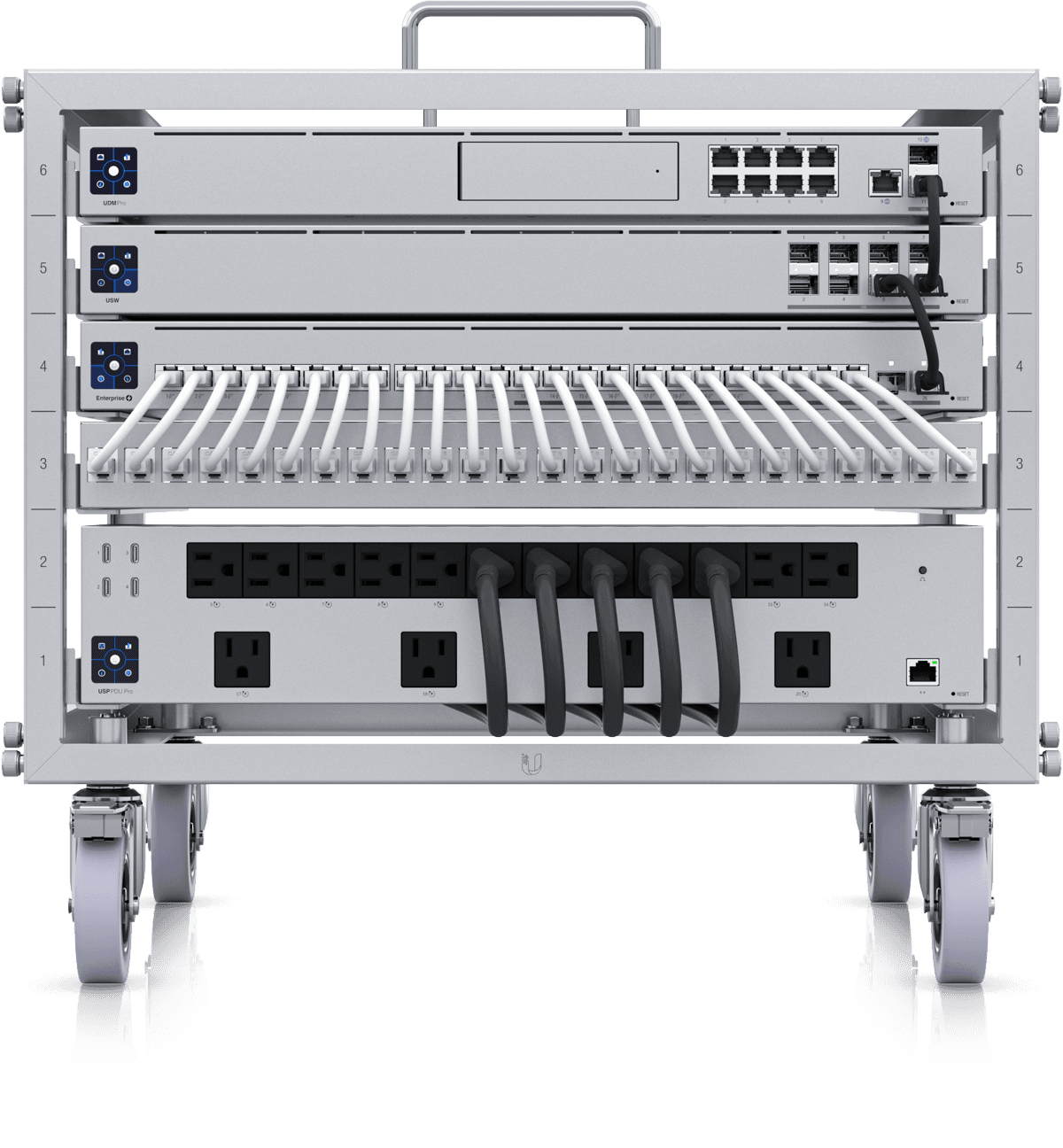
The Problem
Bad WiFi is a building problem,not a router problem.
London's brick walls, multiple floors, and router-by-the-front-door master sockets defeat every consumer router and most mesh kits. The fix isn't a stronger box shouting from one corner — it's coverage designed for your actual building.
- Dead zones upstairs while the router blasts the hallway
- Mesh nodes losing half their speed through every brick wall
- 40+ smart devices overwhelming an ISP router built for 15
- CCTV streams buffering your film night
Free Diagnostic
Find out exactly why yours is failing
Answer a few questions about your home and get a personalised diagnosis — including the fixes that cost nothing, before any talk of hardware. 60 seconds, no signup.
Run the WiFi Health CheckWhat We Build
Four layers of a networkthat simply works.
WiFi that covers every corner
UniFi access points placed from a real signal survey — not guesswork. WiFi 6, 6E, and 7 hardware with seamless roaming, so your phone switches points invisibly as you walk through the house.
- WiFi 6/6E/7 with seamless roaming
- Placement from measured surveys, not templates
- 100+ devices per access point without congestion
- Isolated guest networks built in
Data cabling done properly
Structured network cabling with a Cat6a backbone delivering full speed to every room — terminated, tested, certified, and labelled. Wired backhaul for access points, dedicated runs for CCTV, conduit for whatever comes next. Homes, offices, and comms rooms alike.
- Cat6a certified to 10GbE for the next 15-20 years
- Every run tested and labelled at both ends
- Discreet routing through period properties
- Office data cabling with out-of-hours installation
- Full documentation at handover
One dashboard for everything
The UniFi platform puts your whole network on a single pane of glass — every device, bandwidth per client, parental controls. We can monitor it remotely and usually fix issues before you notice them.
- See and manage every device from one app
- Per-client bandwidth and traffic insight
- Parental controls and content filtering
- Optional remote monitoring by our team
Segmented, secure by design
Your cameras, smart devices, guests, and family each get their own network lane (VLAN). A compromised gadget can never reach your laptops or banking — and CCTV traffic never slows your streaming.
- VLANs: IoT, CCTV, guests and family kept apart
- Site-to-site and remote-access VPN
- Intrusion detection on commercial installs
- Netgate pfSense for advanced requirements
The Kit
Enterprise equipment,sized for homes.
Ubiquiti UniFi as standard, Ruijie for larger commercial estates, Netgate pfSense where advanced firewalling is needed. Beyond the fibre map? See Starlink installation.
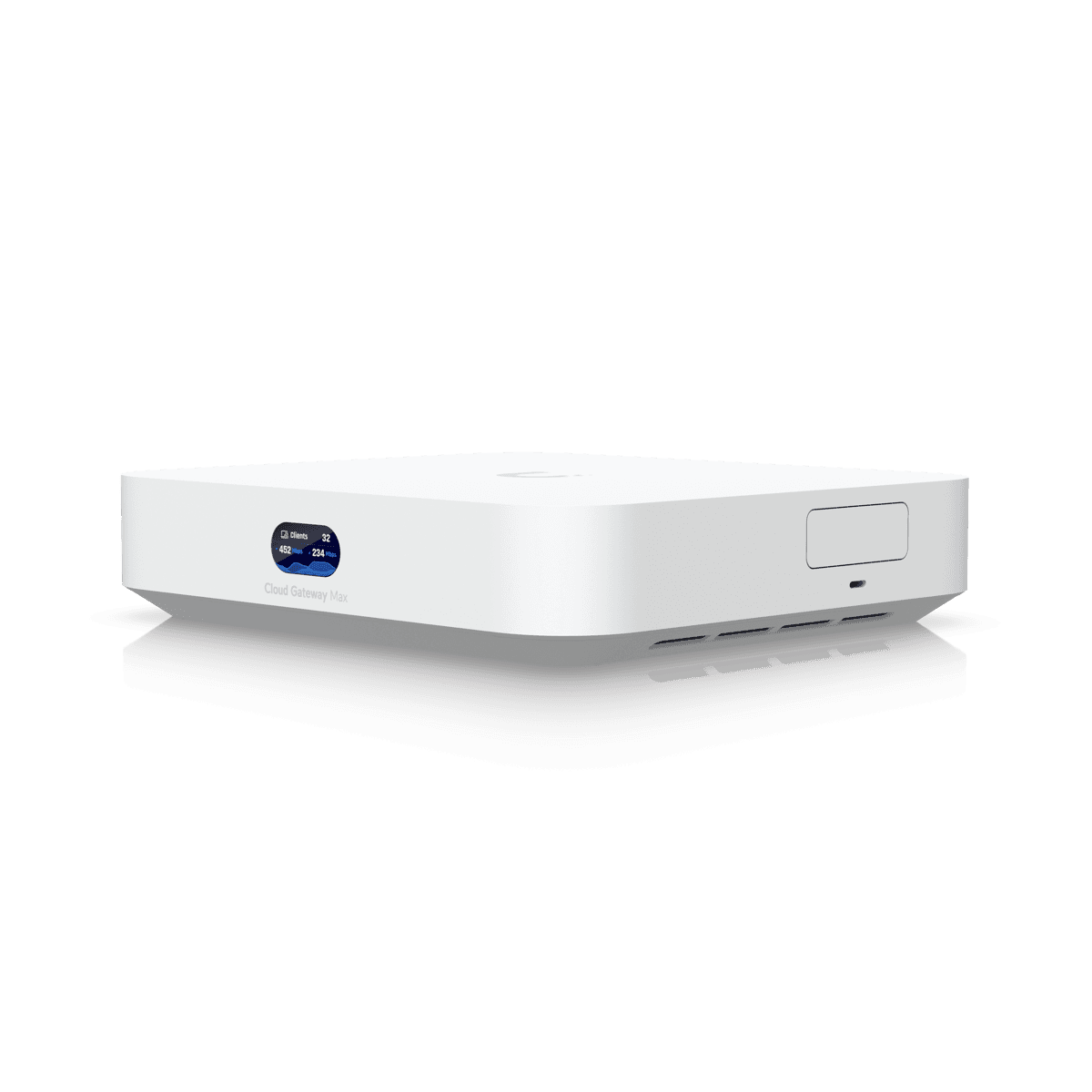
UniFi Cloud Gateway
Routing, firewall, VLANs, and the management platform in one device.

U7 Pro Access Points
Ceiling-mounted WiFi 7 with seamless roaming between points.
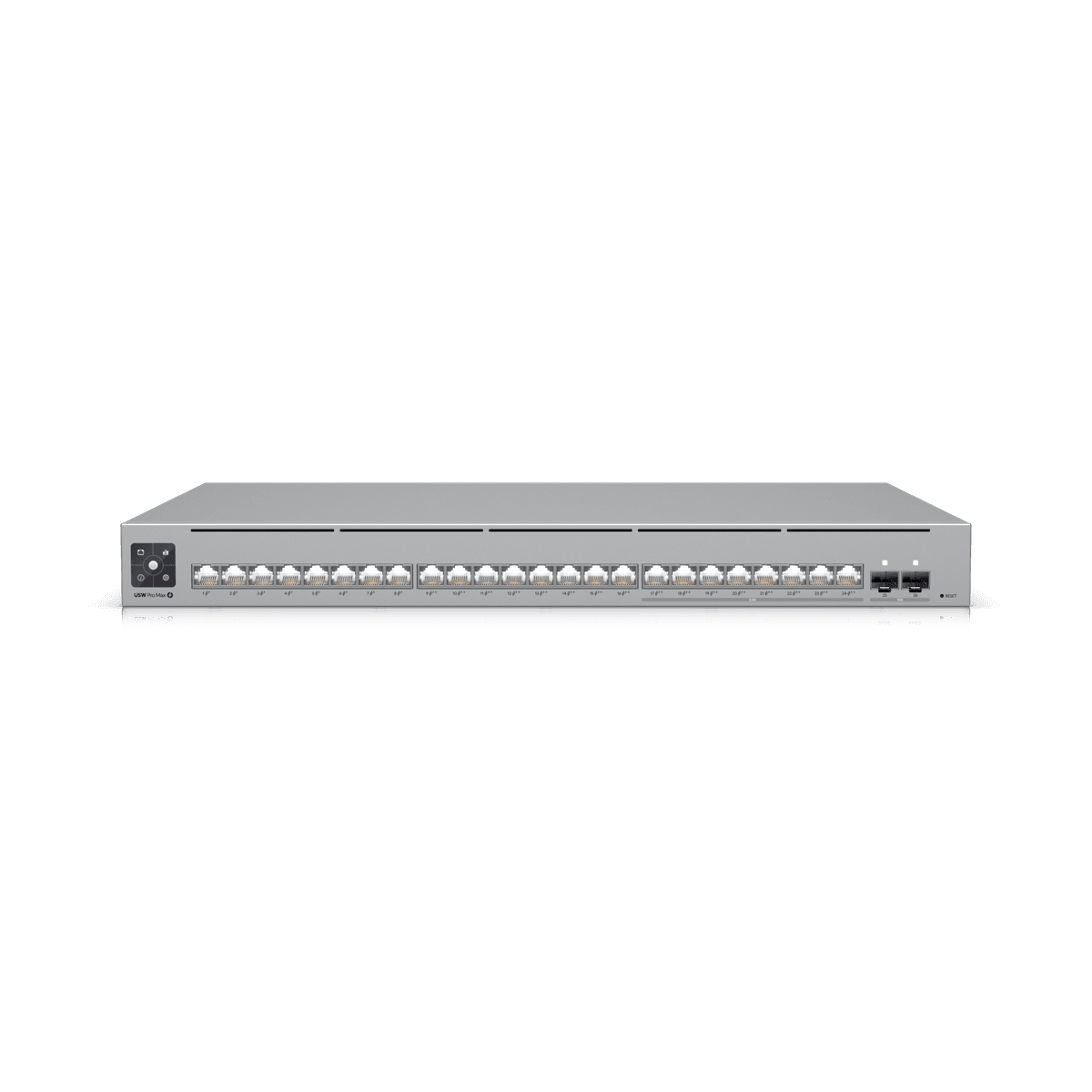
Pro Max Switching
Managed PoE switching that powers cameras and access points over one cable.
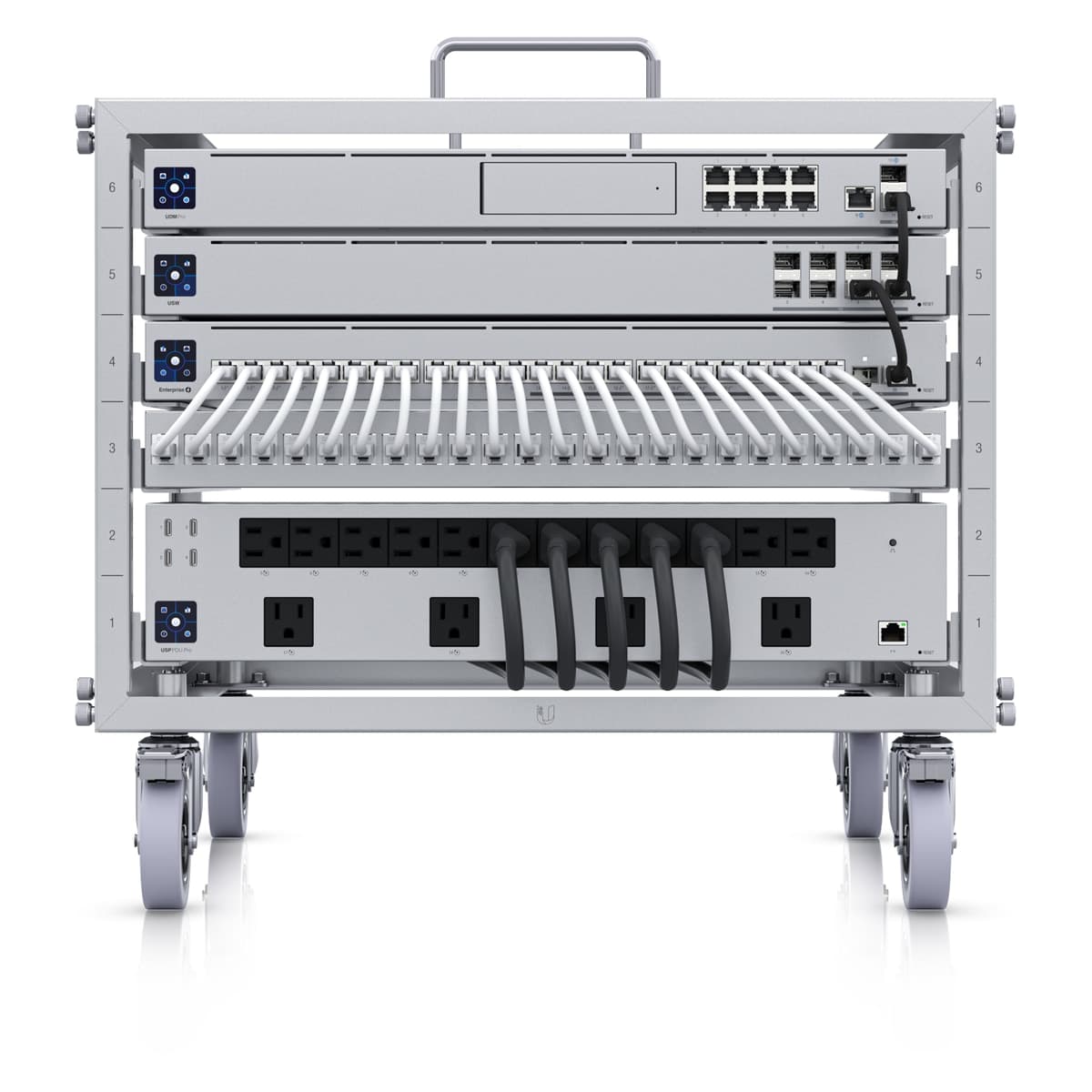
Tidy Rack Builds
Everything labelled, patched, and documented in a clean rack — not a cable nest.
The Service
WiFi installation across London,start to finish.
You don't need to know what an access point is — that's our job. Tell us where the WiFi is bad, and we handle everything: the on-site survey, the design, the installation, and the configuration. Most home installations are finished in one to two days, with cabling routed discreetly — period properties included.
We install across London and the Home Counties — from flats in Westminster to six-bedroom houses in Hampstead and offices in the City. Home WiFi installations start from £1,500, and every quote is itemised after a free survey. Not sure you need professional help yet? The free WiFi Health Check tells you in 60 seconds — including the fixes that cost nothing.
Every WiFi installation includes
- On-site signal surveyWe measure how WiFi actually behaves in your building before recommending anything.
- Enterprise-grade hardwareUbiquiti UniFi access points with seamless roaming — not consumer mesh kit.
- Wired backhaul where it mattersCat6a runs to access points so every one delivers full speed.
- Complete configurationGuest network, parental controls, and smart home devices set up and working.
- AftercareRemote monitoring available — we often fix issues before you notice them.
The Process
Measured first.Built once.
Network Audit
We assess your current setup, identify bottlenecks, and understand bandwidth requirements for all your systems.
Infrastructure Design
Cable routes planned, AP positions calculated for coverage, switch and firewall spec'd for your needs.
Cabling & Install
Cat6a runs, rack build, equipment installation. All cables terminated, tested, and labelled.
Configuration
VLANs, firewall rules, WiFi SSIDs, and monitoring configured. Full documentation and handover.
Questions
WiFi installation, answered honestly
Why structured cabling if I have WiFi?
APs need wired backhaul for full speed. CCTV, controllers, and desktops perform better wired. Cat6a future-proofs for 10GbE.
Ubiquiti or Ruijie?
Ubiquiti is our standard — excellent ecosystem. Ruijie is cost-effective for larger commercial deployments. Both deliver enterprise performance.
How much does WiFi installation cost in London?
A home WiFi installation with 2-3 access points starts from £1,500 including the survey, hardware, and configuration. Full Cat6a cabling for a 4-bed house runs £3,000-£6,000. Office and commercial installations are quoted after a free on-site survey. Every quote is itemised, so you see exactly what each part costs.
What is the difference between Cat6 and Cat6a cabling?
Cat6 supports speeds up to 1Gbps and is fine for most current applications. Cat6a supports 10Gbps across the full 100-metre cable run and has better shielding against crosstalk. The cost difference is relatively small — typically 15-20% more for Cat6a — but the performance ceiling is ten times higher. We recommend Cat6a for all new installations because it future-proofs your property for at least the next 15-20 years. If you're going to the trouble of running cables through walls, it makes sense to install the best once rather than re-cable later.
How many WiFi access points does my home need?
A typical 2-3 bed London flat usually needs 1-2 access points. A 4-5 bed house across two or three floors typically needs 3-4. Period properties with thick brick walls and lath-and-plaster ceilings often need more than modern builds because the construction absorbs WiFi signal heavily. We plan coverage based on your actual floor plan, wall construction, and where you need strong signal — not a generic formula. During our site survey, we assess signal propagation and design access point placement to eliminate dead zones while avoiding unnecessary hardware.
What is a VLAN and why does my smart home need one?
A VLAN (Virtual Local Area Network) segments your single physical network into separate logical networks. In a smart home, this means your IoT devices — cameras, sensors, smart speakers — sit on a different network segment from your personal computers, phones, and sensitive data. If a smart device is compromised, the attacker cannot reach your personal files or banking. VLANs also improve performance by reducing broadcast traffic — your 40 IoT devices won't congest the network your family uses for streaming and work. We configure VLANs on every smart home network we build as standard practice.
Why UniFi instead of a consumer mesh system like Eero or Google Nest WiFi?
Consumer mesh systems are designed for simplicity, not performance. Most rely on wireless backhaul — each node re-broadcasts over WiFi, halving throughput at every hop — and offer little control over VLANs, PoE, or per-device management. UniFi access points use wired backhaul over Cat6a for full speed at every point, support proper VLAN segmentation for CCTV and IoT, power cameras and phones over PoE, and are managed from one professional dashboard. For a flat with light usage, mesh is fine. For a smart home running cameras, automation, and dozens of devices, UniFi is in a different league — and it costs less than people expect.
Do you carry out WiFi surveys in London?
Yes. Every installation starts with an on-site survey: we assess wall construction, measure signal propagation floor by floor, and map where coverage actually drops — which in London's brick-and-plaster housing stock is rarely where you'd guess. The survey produces an access point placement plan with predicted coverage, so you know exactly what you're getting before any hardware is ordered. Surveys are free for residential projects across Greater London, including Harrow, Uxbridge, and the North West London corridor.
Do you install data cabling for offices in London?
Yes. We design and install structured data cabling for offices across London and the Home Counties — Cat6a runs to every desk, patch panels, comms cabinets, and PoE for phones, access points, and cameras. Every run is terminated, tested, certified, and labelled at both ends, with full documentation at handover. We work around your business hours where needed, including evening and weekend installation for occupied offices, and we can combine the cabling with switching, WiFi, and firewall configuration so one team delivers the whole network.
Can you install whole home WiFi and a complete home network?
Yes — full home network installation is our core work. A typical project combines a UniFi gateway and firewall, Cat6a cabling to key rooms, PoE switching, and ceiling-mounted access points for whole-home WiFi coverage: one network name that works everywhere, from the loft office to the garden. Unlike plug-in mesh kits, every access point has a wired connection, so speeds stay full-strength on every floor. A qualified network engineer surveys the property first, and most home network installations complete in one to three days.
Ready for a network that just works?
Free on-site survey across London, Greater London, Middlesex, Hertfordshire and the wider Home Counties — we measure your building, design the fix, and quote it itemised.