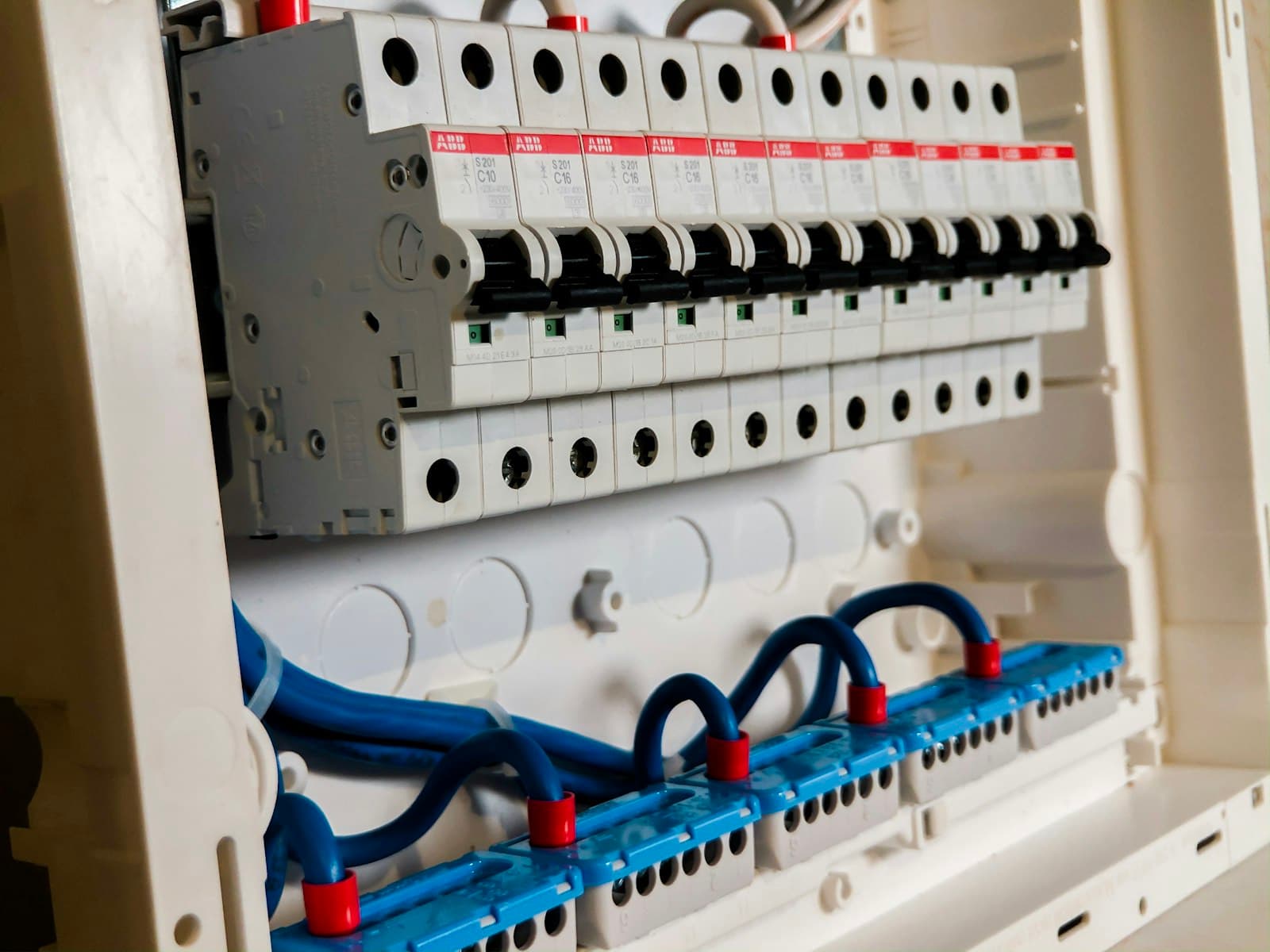
The biggest mistake we see in London new builds is bringing in the smart home installer after the walls are plastered. By that point, half the possibilities are gone. Cables that should have been run during first fix now need surface-mounting or chasing into finished walls — adding weeks of work and thousands in unnecessary cost. If you're building a new home or doing a major renovation, the wiring decisions you make before construction starts will determine what your property can do for the next 30 years.
When to Involve Your Smart Home Installer
The ideal time is during the architectural design stage, before you submit for planning permission. That way, we can influence room layouts, specify cupboard space for equipment racks, and ensure the electrical design supports automation from day one. The absolute latest you should leave it is before first fix electrical — that's when your electrician starts running cables behind the stud walls, before plasterboard goes up. We've lost count of the number of homeowners who've called us after second fix, gutted to learn they can't have ceiling speakers in the kitchen because there's no cable route and no access to run one.
The Loxone Tree Advantage for New Builds
Loxone Tree is a digital bus cable — one thin green wire that daisy-chains from device to device, carrying both power and data. In a conventional electrical setup, each light switch needs its own cable run back to the distribution board. With Loxone Tree, a single cable serves multiple switches, sensors, and dimmers along its route. For a typical 4-bedroom house, Tree wiring uses 40-60% less cable than conventional wiring. That means less labour, fewer cable trays, and a much tidier installation. The Tree devices — switches, dimmers, motion sensors — connect to the cable and communicate digitally with the Loxone Miniserver. It's faster to install, straightforward to expand later, and far more reliable than wireless alternatives when you've got the walls open anyway.
What Cables to Run
Here's the wiring list we give to every new build client. Cat6a data cable to every room — one point minimum, two in bedrooms and living areas, four in the main living space. This covers WiFi access points, CCTV cameras, intercoms, and any future networked device. Loxone Tree cable to every switch position, sensor location, and dimmer. Speaker cable (OFC 2-core or 4-core) to ceiling positions where you want multi-room audio — kitchen, living room, master bedroom, bathroom, and outdoor entertaining areas are the most common. HDMI 2.1 or conduit from the media rack to each TV position. And the one thing that costs almost nothing but saves thousands later: conduit runs between floors and up to the loft space, so you can pull new cables through in future without touching the walls.
Working With Your Electrician
We don't replace your electrician — we work alongside them. Before first fix begins, we provide a detailed cable schedule listing every run with its start point, end point, and cable type. We supply first fix drawings showing exact positions for switch plates, sensors, speakers, cameras, and data points. Your electrician runs the cables to our specification during first fix, and we attend site to check everything lands in the right place before the plasterboard goes up. Every cable gets labelled at both ends — rack end and device end — so second fix commissioning runs smoothly. We've refined this coordination process over hundreds of installations. When it's done properly, the electrician barely notices the extra scope because it's all planned and documented before anyone picks up a drill. On projects where we handle the electrical installation and lighting design ourselves, that coordination step disappears entirely — the cable schedule, the first fix, and the commissioning are all the same team, and the certificates come from us.
Common Mistakes to Avoid
After working on new builds across London and the Home Counties for over a decade, these are the mistakes that come back to haunt people. Not enough data points — one Cat6a per room is the bare minimum; two is sensible, and you'll wish you'd run three in the living room. Using Cat5e instead of Cat6a — the cost difference is pennies per metre but Cat6a supports 10 Gigabit speeds and is far more future-proof. Skipping conduit between floors — this is the cheapest insurance you can buy and builders almost never include it unprompted. Forgetting outdoor infrastructure — camera positions, garden speakers, electric gate cables, and EV charger feeds all need planning before groundworks finish. Wrong cable grades for speakers — cheap CCA cable degrades signal quality over longer runs, so always specify OFC copper. And not allocating enough space for the equipment rack — you need a ventilated cupboard with a dedicated power supply, and it needs to be accessible for maintenance.
What This Costs
Wiring infrastructure for a typical 4-bedroom London new build adds £3,000-£8,000 to the electrical budget. That covers all cable, conduit, first fix labour coordination, and our design and supervision time. It sounds like a lot until you compare it with the cost of retrofitting the same infrastructure after the walls are finished — which typically runs two to three times higher. The smart home equipment itself — Loxone Miniserver, switches, dimmers, sensors, automation programming — sits on top of that as a separate cost. But the wiring is the foundation. Invest in it now and everything else drops into place cleanly. Cut corners here and you'll be living with compromises for the life of the building.
We work with architects, builders, and project managers across London on new build smart home infrastructure. If your project is at the planning or early construction stage, get in touch and we'll review your drawings at no charge. See how we collaborate with construction teams, or call us on 020 8191 2479 to talk through your build.
Ready to get started?
Free consultation. No obligation.